Desktop App
A local-first timer for your menu bar.
Miru Time Tracking is a desktop app for Miru teams. Start, pause, resume, switch timers, and save time without hunting for the right browser tab.
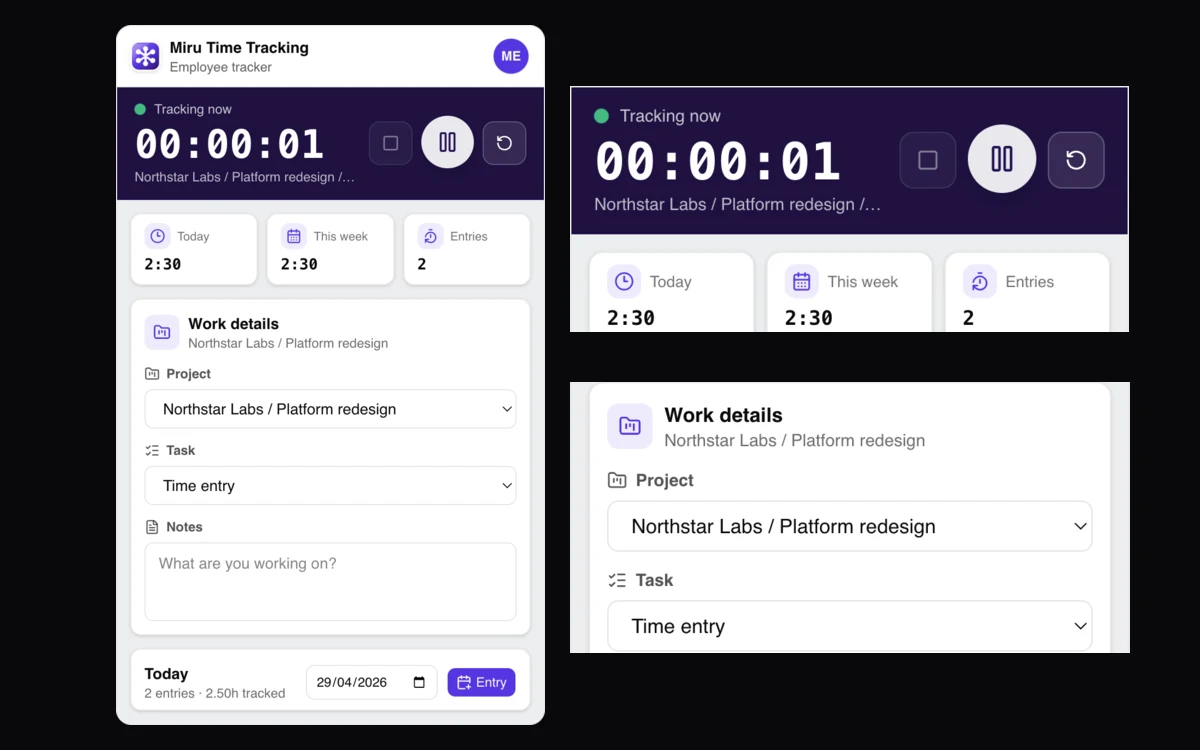
Native menu bar timer.
Keep the running timer visible from macOS. Start, pause, reset, start a new timer, and recover idle time without opening the full web app.
Local-first tracking.
The desktop app keeps timer state, paused timers, and entries locally, then syncs with Miru when the web API is available.
Same Miru workflow.
Entries still belong to Miru clients, projects, and workspaces. Desktop is a faster capture surface, not a separate product.
Browser timers get lost
Stop losing time to browser tabs. Miru Desktop is a menu bar timer that keeps tracking across restarts and syncs later.
Use it to capture time. Use the web app for review and the rest of the workflow.
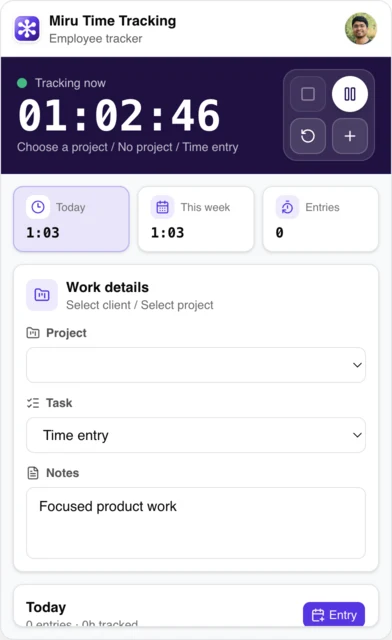
Download Miru Time Tracking
- Download for macOS Apple Silicon
- Download for macOS Intel
- Download for Linux x64
- Download for Windows x64
- View the source
macOS downloads are Developer ID signed, notarized, and verified after download. Use Apple Silicon for Apple M-series Macs.
The desktop app connects to your Miru account at app.miru.so.
Profile images are pulled from the connected Miru account when available. The preview above uses a sanitized local timer state, so it does not expose email, tokens, workspace, client, project, or entry details.
What ships in Miru Time Tracking
Built with Electron, Vite, React, and TypeScript. Keeps the web stack for shared UI and logic. Adds native menu bar controls through Electron IPC.
We chose Electron to reuse the web UI. Trade-off: larger maintenance surface and platform quirks. Mitigation: strict IPC boundaries, Vitest unit tests, and Electron Playwright e2e.
What you get:
- menu bar timer: visible, restart-safe, one-click control
- local-first persistence: keeps active and paused timers when the Miru API is unavailable
- timer stack: start new work without losing the previous timer
- full entry workflow: create, edit, delete, resume, and save
- idle recovery: trim and continue, trim and start new, or keep idle time
- Miru sync: workspace/account sync, current-timer state, and multiple desktop timers
- tests: Vitest unit tests and Electron Playwright e2e, including a compact layout guard for the timer controls
Local-first here is specific: the timer state is stored on disk, local entries survive the normal app loop, and current-timer sync reports local, offline, syncing, synced, or error states. If the web API is unreachable, the app keeps tracking locally.
Desktop, with macOS first
macOS first because that is where our team lives today.
This is not a separate product. Desktop is a capture surface. The important part is the workflow: timer state survives app restarts, the menu bar shows what is running, and saved entries flow back into Miru instead of becoming another disconnected timesheet.
Use the desktop app for daily capture. Use the web app for review, approvals, invoices, expenses, payments, and reports. Use the CLI when you are already in the terminal.