Dark Mode Done Right: Why Most Apps Get It Wrong
CSS invert() is not dark mode. Here's what it actually takes to build a dark theme that doesn't hurt your eyes.
 Vipul A M · · 3 min read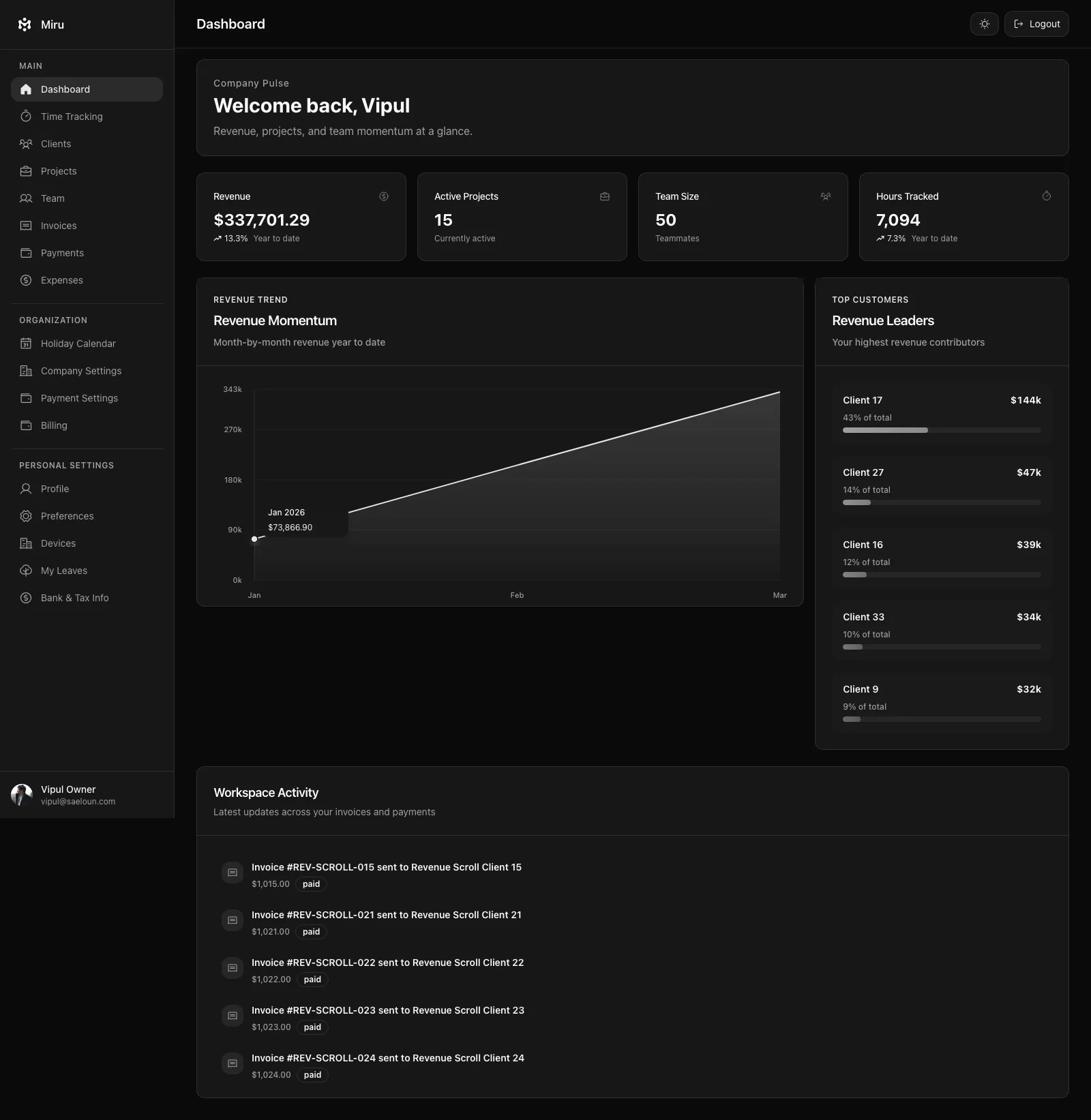
What actually goes wrong
Contrast ratios break. A light gray text that had a 4.5:1 contrast ratio on white backgrounds now has a 2:1 ratio on the inverted dark background. You’ve made the app harder to read, not easier. Accessibility compliance goes out the window — the same WCAG ratios that passed in light mode fail in dark mode.
Shadows and elevation disappear. In light mode, shadows create depth. In dark mode, shadows are invisible against dark backgrounds. You need to replace shadow-based depth cues with lighter borders or subtle glows. An inverted theme does neither — it just makes shadows disappear, flattening the entire interface.
Colors don’t translate. A vibrant blue button on a white background looks great. That same blue on a dark gray background can be jarring, too bright, or visually overwhelming. Good dark mode requires adjusting saturation and brightness for every accent color, not just flipping the lightness channel.
Images and media get destroyed. The invert() filter catches everything in the DOM. Your product screenshots, your team photos, your logo — all inverted. So you add img { filter: invert(1); } to cancel it out. Now you’ve got two filter operations on every image, and you’re still dealing with edge cases in SVGs, canvas elements, and CSS backgrounds.
How we built Miru’s dark mode
We didn’t use any automated transforms. Every color in Miru’s dark mode was chosen specifically for dark backgrounds.
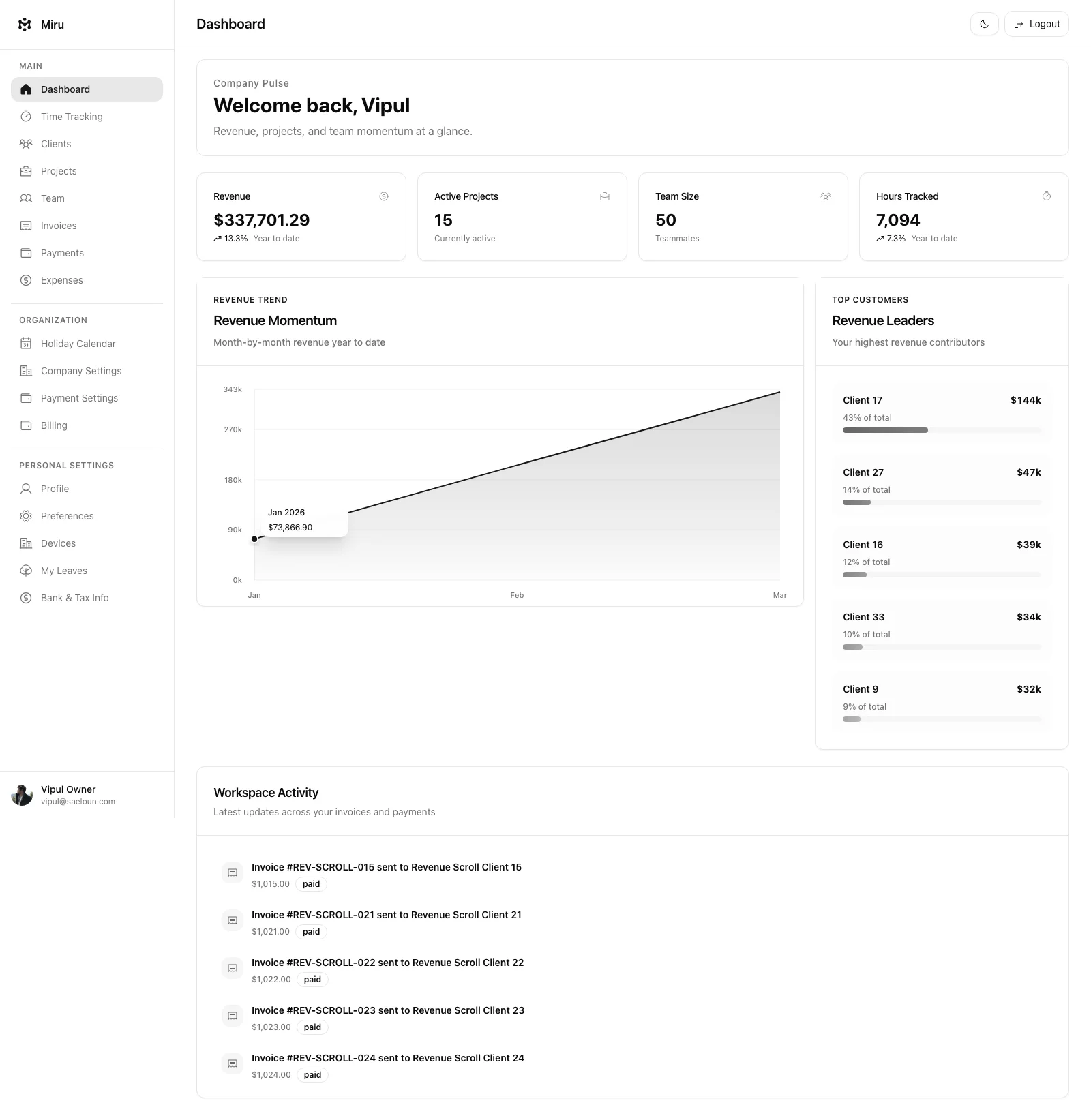
Separate color tokens. We maintain two sets of design tokens — light and dark. Background colors, text colors, border colors, accent colors, shadow values. When dark mode is active, the entire token set swaps. No filters. No calculations. Explicit values chosen by a human looking at a screen.
Tested contrast ratios on both themes. Every text-on-background combination meets WCAG AA in both light and dark mode. Some colors that work in light mode were replaced entirely in dark mode because they couldn’t be adjusted to pass without looking wrong.
Replaced shadows with borders. The card elevation system in light mode uses subtle box-shadows. In dark mode, those same cards use a 1px border with a slightly lighter shade. The visual hierarchy is preserved but the mechanism is completely different.
Designed, not derived. The invoice editor, the time tracking calendar, the report charts, the settings pages, the modals — every one was reviewed in dark mode by a designer who made intentional choices. Not by an algorithm that did a color math.
The uncomfortable truth
Building a good dark mode takes about 30% of the effort of the entire UI. It’s not a toggle. It’s not a filter. It’s a second visual design system that shares layout and structure with the first but differs on nearly every aesthetic decision.
Most teams don’t do this because it’s expensive. They’d rather ship filter: invert(1) and check the “dark mode” box on their feature comparison page. The users who care about dark mode — developers, night owls, people with light sensitivity — can tell the difference immediately.
We spent the time because we’re those users. We review invoices at 11 PM. We log time before sunrise. We stare at screens for 10+ hours a day. A real dark mode isn’t a feature. It’s basic respect for the people using your software.
Toggle it in Miru’s preferences. It remembers your choice. Your eyes will thank you.
Hard Stop
If you agree, build this way. If you disagree, test the opposite and measure the real cost.
Start with Miru or read the docs.
Vipul A M
Co-founder at Saeloun. Building Miru. Rails contributor. Shipping from Pune, India.
Read next
How We Use gbrain to Build Miru
How Saeloun uses gbrain, gstack, Codex, Claude, MCP, and repo signals to build Miru with memory, safer AI automation, and proof before claims.
How We Track Time with AI Agents and the Miru CLI
A practical guide to automated time tracking for teams using Claude Code, Codex, and other AI coding tools. Real workflows, real scripts, zero browser tabs.
Why We Built the Miru CLI (And Why Every SaaS Should Have One)
Most SaaS tools treat the terminal as an afterthought. We built a full CLI because developers deserve better than a browser tab.
Put it to work
Run one cleaner billing cycle in Miru.
If this article is about tracking time, billing clients, comparing tools, or automating work, Miru is the product version of that idea. Start for $1/member, invite the team, and send the next invoice from tracked work.
What you get
- Time tracking, invoices, expenses, and payments in one place.
- $1 per member per month. Free if you self-host.
- Open source, with CLI, API, MCP, and self-hosting paths.
The article is the argument. Miru is the workflow.
Track the work, approve the hours, send the invoice, and get paid without bolting together three separate tools.