Best Time Tracking Apps in 2026: An Honest Comparison
We reviewed every major time tracking app. Here's what we found — and why we think most of them are overpriced.
 Vipul A M · · 4 min read
The quick comparison
| App | Price (10 users) | Free Tier | Invoicing | CLI | Open Source |
|---|---|---|---|---|---|
| Miru | $10/mo | Self-host free | Yes | Yes | MIT |
| Harvest | $90-110/mo | 1 user, 2 projects | Yes | No | No |
| Toggl Track | $90/mo | 5 users, limited | No | No | No |
| Clockify | $40/mo | 5 users, limited | No | No | No |
| Monday.com | $190/mo (Pro) | 2 users | No | No | No |
| FreshBooks | $153/mo (Plus) | No free tier | Yes | No | No |
| TimeCamp | $40/mo | Unlimited users, limited | No | No | No |
Harvest
Harvest has been around since 2006 and it shows — in the best way. The timer UX is excellent. Starting and stopping time feels natural. The reports are clean. Integration with QuickBooks and Xero is solid.
The problem is price. At $9 per seat per month billed annually, a 50-person team pays $450/month. $5,400/year. For a timer and basic invoicing. Harvest hasn’t meaningfully changed its feature set in years, but the price keeps climbing. You’re paying a premium for brand recognition and a polished UI.
Best for: Small teams (under 5) who want a battle-tested, no-surprises timer and don’t mind paying for it.
Toggl Track
Toggl is popular with freelancers and small teams. The free tier is generous — 5 users with basic tracking. The UI is modern, the mobile app is solid, and the Chrome extension is useful if you live in the browser.
But Toggl doesn’t do invoicing. At all. You track time in Toggl, then export it and type it into a separate invoicing tool. That’s two tools doing the job of one. The paid plans ($9-16/user/month) add project tracking and better reports, but you’re still missing the billing half of the equation.
Best for: Teams who already have a separate invoicing system and just want clean time tracking.
Clockify
Clockify’s hook is a free plan, now capped at 5 users. It works — the free tier is genuinely useful for a tiny team. The catch is that everything beyond basic tracking (invoicing, GPS tracking, approval workflows, budgets) requires paid plans that start at $3.99/user/month and go up to $11.99.
By the time you need the features that matter, you’re paying roughly the same as Harvest. The “free” positioning obscures what’s really a freemium upsell funnel.
Best for: Very large teams who need basic time tracking and nothing else.
Monday.com
Monday is a project management tool that bolted on time tracking. It’s fine for organizations already living in Monday’s ecosystem. But the time tracking is an afterthought — no CLI, no invoicing, limited reporting. And the pricing is aggressive: time tracking only arrives on Pro at $19/seat/month.
You don’t pick Monday for time tracking. You end up with Monday’s time tracking because you already use Monday for everything else.
Best for: Teams already committed to the Monday ecosystem.
FreshBooks
FreshBooks is an accounting tool with time tracking, not a time tracker with invoicing. If your primary need is bookkeeping — profit/loss statements, balance sheets, tax prep — FreshBooks is solid. The time tracking is serviceable but basic.
The pricing model is weird: plans are based on the number of clients, not users. The Lite plan ($23/month) covers 5 clients. If you have 20 clients, you’re on the Plus plan at $43/month. Enterprise needs? Talk to sales.
Best for: Freelancers who need accounting software and want basic time tracking in the same tool.
TimeCamp
TimeCamp’s differentiator is automatic time tracking — it monitors which apps and websites you use and logs time based on that. If you like the idea of passive tracking, TimeCamp does it well.
The downside: automatic tracking feels surveillance-y to many teams. And the free tier has no invoicing or real reports. Paid plans start at $3.99/user/month. No invoicing. No expense tracking.
Best for: Solo users who want automatic tracking without manual timers.
Miru
Full disclosure: we built Miru. Here’s what we’d say even if we hadn’t.
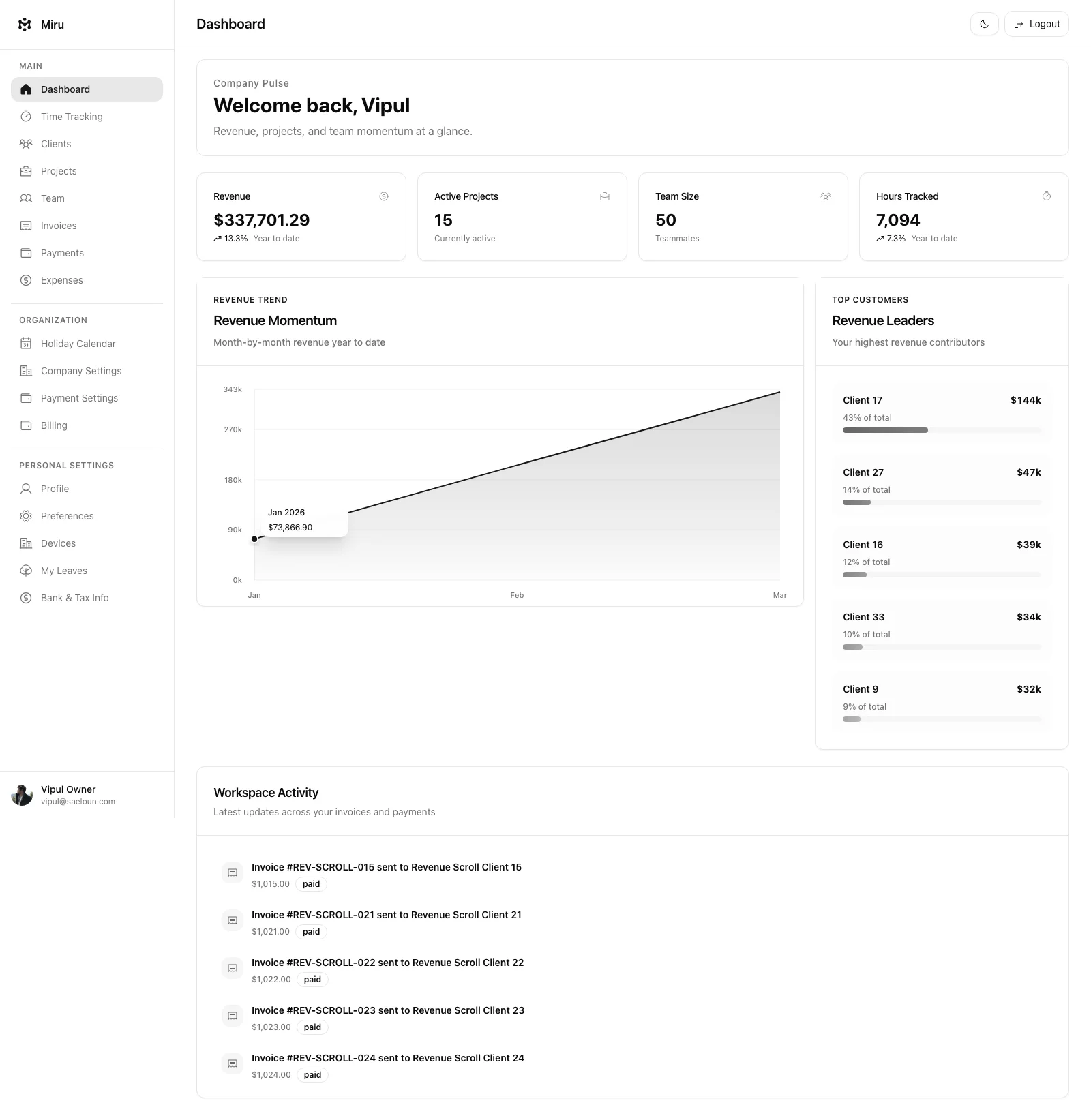
Miru is the only tool on this list that’s open source (MIT licensed), includes invoicing and expense tracking at every tier, offers a CLI for terminal workflows, and costs $1/person/month. Self-hosting is free.
The weakness: Miru doesn’t have automatic time tracking. No app monitoring. No screenshots. If you need that, look at TimeCamp or Hubstaff. We deliberately didn’t build surveillance features because we think they’re counterproductive.
Best for: Teams that want time tracking + invoicing in one tool and don’t want to pay $10+/seat for it. Developers who want CLI workflows. Anyone who cares about open source.
The bottom line
Most time tracking apps are overpriced for what they do. Harvest has great UX but costs 10x what it should. Toggl is clean but incomplete without invoicing. Clockify’s “free” model is bait for a paid upsell. Monday is a project tool with time tracking stapled on.
If you need a stopwatch and nothing else, Clockify’s free tier works. If you need time tracking and invoicing in one place, Miru does both for $1/person — or self-host it for free.
We’d rather you pick the right tool than pick ours. But do the math first.
Hard Stop
Run both tools for one real month. Keep the one that creates less cleanup and faster cash collection.
Next: check the price, compare the tools side by side, or pick a migration guide.
Start with Miru or read the docs.
Vipul A M
Co-founder at Saeloun. Building Miru. Rails contributor. Shipping from Pune, India.
Read next
The Definitive Time Tracking Comparison: Miru vs Every Alternative in 2026
We tested every major time tracking tool. Here's an honest, side-by-side breakdown of pricing, features, and what actually matters for teams that bill by the hour.
Miru vs FreshBooks: Stop Overpaying for Invoicing
FreshBooks charges $23-$70/month before you add a single team member. Miru gives you invoicing, time tracking, and expenses for $1/member/month.
Miru vs Harvest: Which Time Tracker is Right for Your Team?
A head-to-head comparison of Miru and Harvest. Pricing, features, open source vs closed source, and why Miru wins for most teams.
Put it to work
Run one cleaner billing cycle in Miru.
If this article is about tracking time, billing clients, comparing tools, or automating work, Miru is the product version of that idea. Start for $1/member, invite the team, and send the next invoice from tracked work.
What you get
- Time tracking, invoices, expenses, and payments in one place.
- $1 per member per month. Free if you self-host.
- Open source, with CLI, API, MCP, and self-hosting paths.
The article is the argument. Miru is the workflow.
Track the work, approve the hours, send the invoice, and get paid without bolting together three separate tools.