How to Bill Clients Without Losing Your Mind
A practical guide to client billing for agencies: time tracking, invoicing, expense management, and getting paid on time.
 Vipul A M · · 4 min read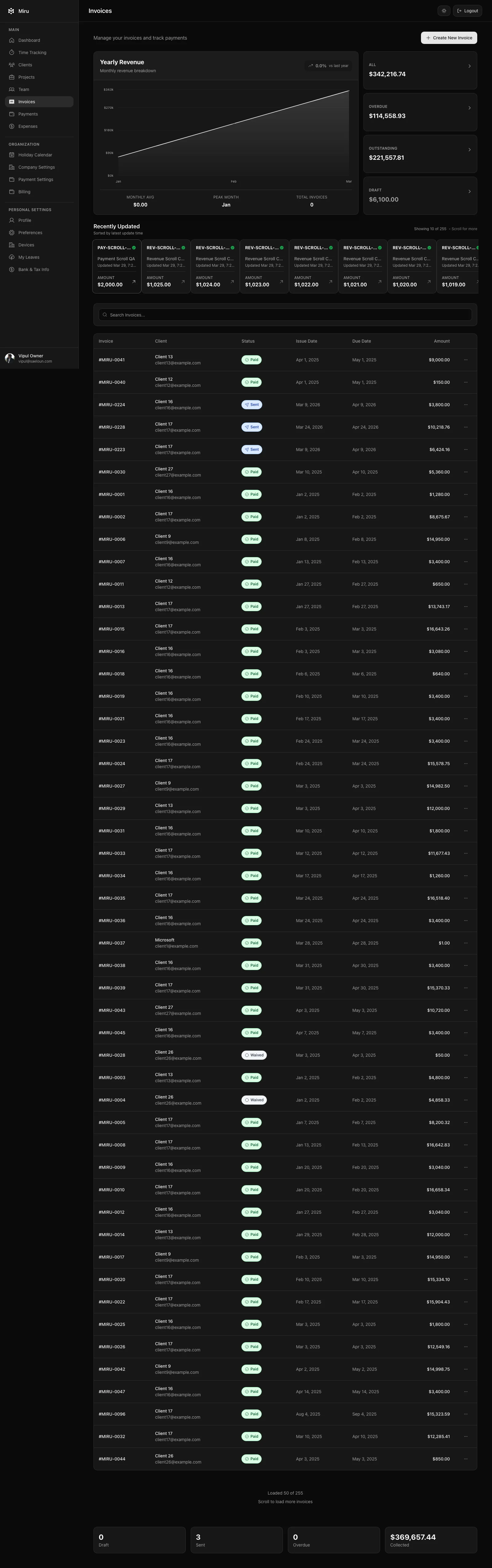
Track time across multiple clients without losing your mind
The fundamental problem is context switching. Your designers bounce between three clients in a day. Your developers push code to four repos before lunch. If your time tracking requires opening a browser tab, finding the right project, clicking start, and then remembering to click stop — you’ve already lost.
What actually works:
Make logging faster than not logging. The threshold is about 5 seconds. If it takes longer than that, people won’t do it. A CLI command, a shell alias, or a keyboard shortcut. The best time entry is the one that takes two seconds to create after you finish a task.
Use project names that match reality. If your team calls it “the Acme redesign,” don’t name the project “Acme Corp - Website Redesign Phase 2 - Q1 2026.” Name it “Acme Redesign.” The less friction between what people say and what they type, the more accurate your data.
Log descriptions, not just hours. “3 hours on Acme” means nothing to a client. “3 hours: migrated checkout flow to new payment provider, resolved SSL certificate conflict” means they understand exactly what they paid for. This prevents disputes before they happen.
Generate invoices from tracked hours
Here’s where most agencies waste the most time: someone (usually a project manager or the owner) manually compiles time entries into a spreadsheet, formats it as an invoice, and emails it to the client. This takes hours every billing cycle and is error-prone.
The right approach:
Invoice directly from time entries. Your time tracking tool should generate invoices from the hours you’ve already logged. Select the client, select the date range, review the line items, and send. No spreadsheet. No manual compilation.
Bill on a schedule, not when you remember. Set a recurring reminder — first of the month, every two weeks, whatever fits your contracts. Late invoices signal to clients that you don’t take money seriously. They’ll take longer to pay because you took longer to ask.
Include enough detail to prevent questions. Each line item should show the date, who did the work, how many hours, and a description. Clients who can see exactly what they got don’t need to email you asking for clarification. That email chain costs you more time than the detail did.
Manage expenses per project
Expenses are the thing agencies forget about until tax time. You bought a stock photo for the Acme project. You paid for a staging server for Brightside. You bought a premium font license for the rebrand.
If those expenses aren’t logged against the right project when they happen, they’re gone. You’ll either eat the cost or waste an hour in December reconstructing credit card statements.
Log expenses when you incur them. Not later. Not in a spreadsheet. In the same tool where you track time. Same project, same client, same invoice. Every expense should be tied to a project the moment the receipt lands in your inbox.
Pass through what you should. If your contract allows for expense reimbursement, attach expenses to invoices automatically. Clients expect to pay for the $200 stock photo library you bought for their project. They don’t expect to discover it six months later.
Get paid via Stripe
This one is simple but transformational: put a payment link on every invoice.
Agencies that send PDF invoices and wait for a check or bank transfer wait an average of 30-45 days to get paid. Agencies that include a Stripe payment link on the invoice cut that to 5-7 days. The client opens the invoice, clicks “Pay Now,” enters their card, done.
Set up Stripe integration once. Connect your Stripe account, configure your currency and tax settings, and every invoice you send includes a payment link automatically. No manual payment processing. No “did you get my check?” follow-ups.
Enable autopay for retainer clients. If you have monthly retainer agreements, set up recurring billing so the invoice generates and charges automatically. One less thing to manage. One less thing that can fall through the cracks.
The bottom line
Agency billing isn’t hard. It’s tedious. And tedious things don’t get done consistently unless the tools make them easy.
Track time in 5 seconds or less. Generate invoices from those time entries. Log expenses to the right project immediately. Put a Stripe payment link on every invoice.
That’s it. No 50-page process document. No billing coordinator. Just tools that match how agency work actually happens. Start with Miru — it’s free for teams of five or fewer, and $1/member after that.
Hard Stop
Run this loop for two weeks without skipping cleanup. The compounding effect is real.
Start with Miru or read the docs.
Vipul A M
Co-founder at Saeloun. Building Miru. Rails contributor. Shipping from Pune, India.
Read next
How to Set Up Retainer Billing for Agency Clients
A practical guide to retainer agreements: how to structure them, track hours against them, invoice monthly, and handle overages without awkward conversations.
Time Tracking Is Not Employee Monitoring
A researched guide to privacy-first time tracking for agencies: what to measure, what to avoid, and why billing accuracy beats screenshots.
The Freelancer's No-BS Guide to Getting Paid
Track your hours, send professional invoices, and get paid without chasing. A practical guide for freelancers who'd rather do the work.
Put it to work
Run one cleaner billing cycle in Miru.
If this article is about tracking time, billing clients, comparing tools, or automating work, Miru is the product version of that idea. Start for $1/member, invite the team, and send the next invoice from tracked work.
What you get
- Time tracking, invoices, expenses, and payments in one place.
- $1 per member per month. Free if you self-host.
- Open source, with CLI, API, MCP, and self-hosting paths.
The article is the argument. Miru is the workflow.
Track the work, approve the hours, send the invoice, and get paid without bolting together three separate tools.