Expense Management for Small Teams: Stop Using Spreadsheets
Why spreadsheets fail at expense tracking and how to replace them with categories, receipt photos, approval workflows, and tax-time exports.
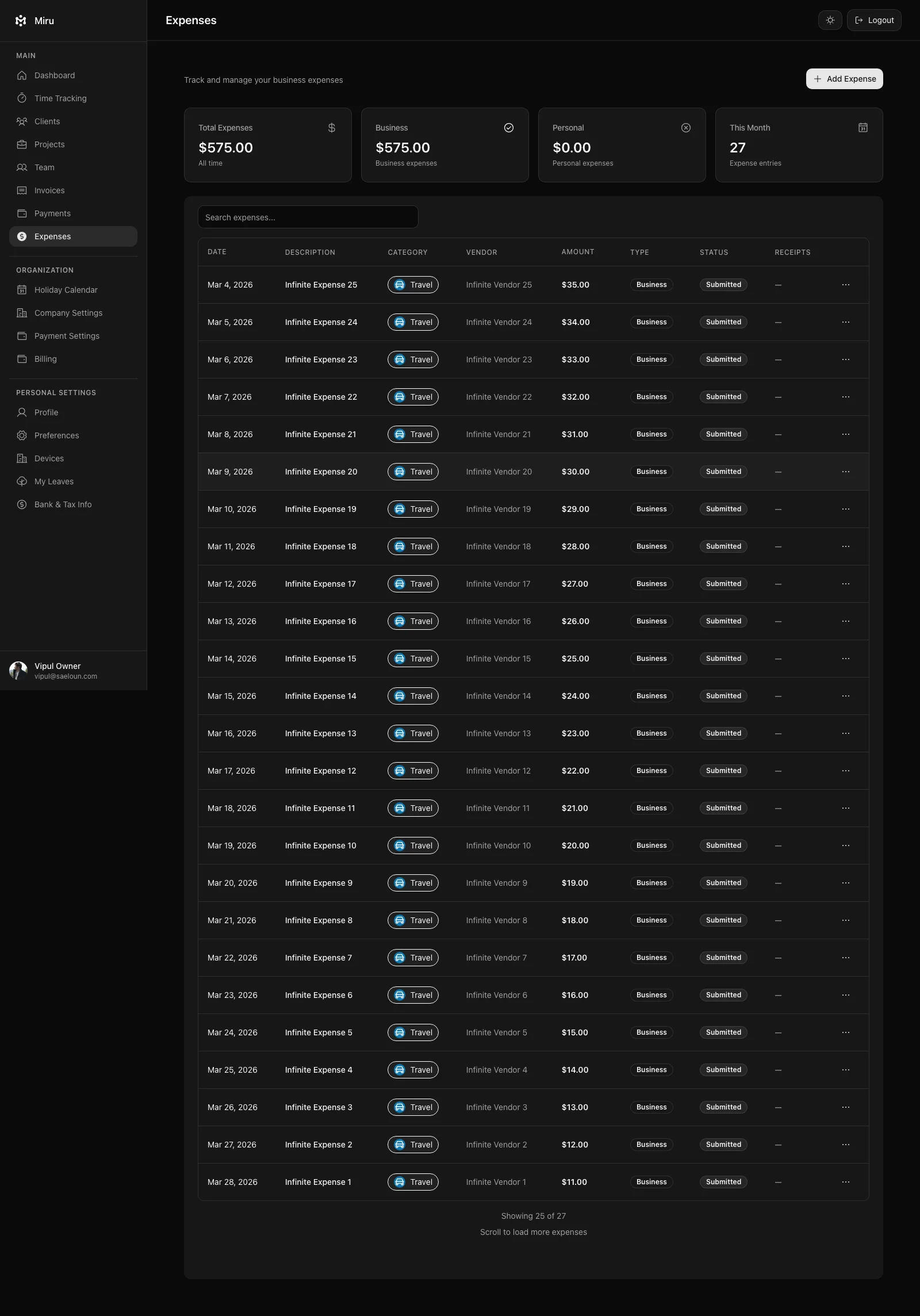
The spreadsheet starts simple. A row for the date, a column for the amount, a note about what it was for. It works for the first month. Maybe the second. By month three, someone has reformatted the columns. By month six, there are three versions floating around because someone made a copy “just in case.” By tax time, the accountant is asking you to explain a $340 entry that just says “misc.”
Spreadsheets fail at expenses because expenses aren’t tabular data. They’re documents with receipts, categories, approval chains, and tax implications. A spreadsheet handles the number. It ignores everything else.
What Breaks First
Receipts vanish. The $85 lunch with a client? The receipt is in your email. Or your photos. Or that folder on your desktop called “receipts 2026” that has 400 files in it. When the auditor asks for proof, you’re digging through six months of camera roll.
Categories drift. One person logs “Travel.” Another logs “Transportation.” A third logs “Uber.” They’re all the same category, and your year-end report treats them as three different line items. Good luck explaining that to your accountant.
Approvals don’t exist. In a spreadsheet, anyone can add a row. There’s no approval step. No manager sign-off. No audit trail showing who approved what and when. For a 3-person team, this is fine. For a 15-person team, it’s a liability.
Tax export is manual. When your accountant needs expenses broken down by category for the quarter, you’re spending a Saturday afternoon with pivot tables and VLOOKUP. That’s not expense management. That’s data entry penance.
How Miru Handles It
Miru’s expense management was built by a consulting team that lived through every one of these problems. Here’s what we built:
Receipt capture. Snap a photo, attach it to the expense entry. The receipt lives with the entry forever. When the auditor asks, you click one button.
Consistent categories. You define the categories once: Travel, Software, Meals, Equipment, whatever fits your business. Every expense gets tagged from the same list. No drift. No duplicates. Clean reports every time.
Approval workflows. An employee submits an expense. A manager approves or rejects it with one click. There’s a timestamp, a name, and a paper trail. This matters for compliance and it matters for trust.
Line-item detail. Each expense entry captures the vendor, the date, the amount, the category, the receipt, and an optional note. That $340 entry never says “misc” again because the form won’t let you skip the fields that matter.
Tax-time export. End of quarter? Export expenses by category, by date range, by team member, or by project. CSV or PDF. Hand it to your accountant and get on with your life.
The Math
A 10-person team tracking expenses in a spreadsheet spends roughly 2-3 hours per month on reconciliation. That’s 30+ hours a year of someone’s time spent copying numbers between tabs and chasing receipts. At $50/hour, that’s $1,500 in labor to manage a spreadsheet.
Miru’s expense tracking is included in every plan. Free tier, Pro, Enterprise. No add-on fee. The tool that replaces 30 hours of annual spreadsheet work costs less than one hour of the labor it eliminates.
Stop using the spreadsheet. It was never the right tool.
Vipul A M
Co-founder at Saeloun. Building Miru. Rails contributor. Shipping from Pune, India.
Read next
How to Bill Clients Without Losing Your Mind
A practical guide to client billing for agencies: time tracking, invoicing, expense management, and getting paid on time.
The Freelancer's No-BS Guide to Getting Paid
Track your hours, send professional invoices, and get paid without chasing. A practical guide for freelancers who'd rather do the work.
Self-Hosting Miru: A Complete Guide for Teams That Own Their Data
Step-by-step guide to deploying Miru on your own infrastructure. Docker, bare metal, or cloud -- your servers, your rules.
The article is the theory. Miru is the workflow.
If this post is about better billing, cleaner tracking, or fewer tools, Miru is the product version of that argument.