Introduction
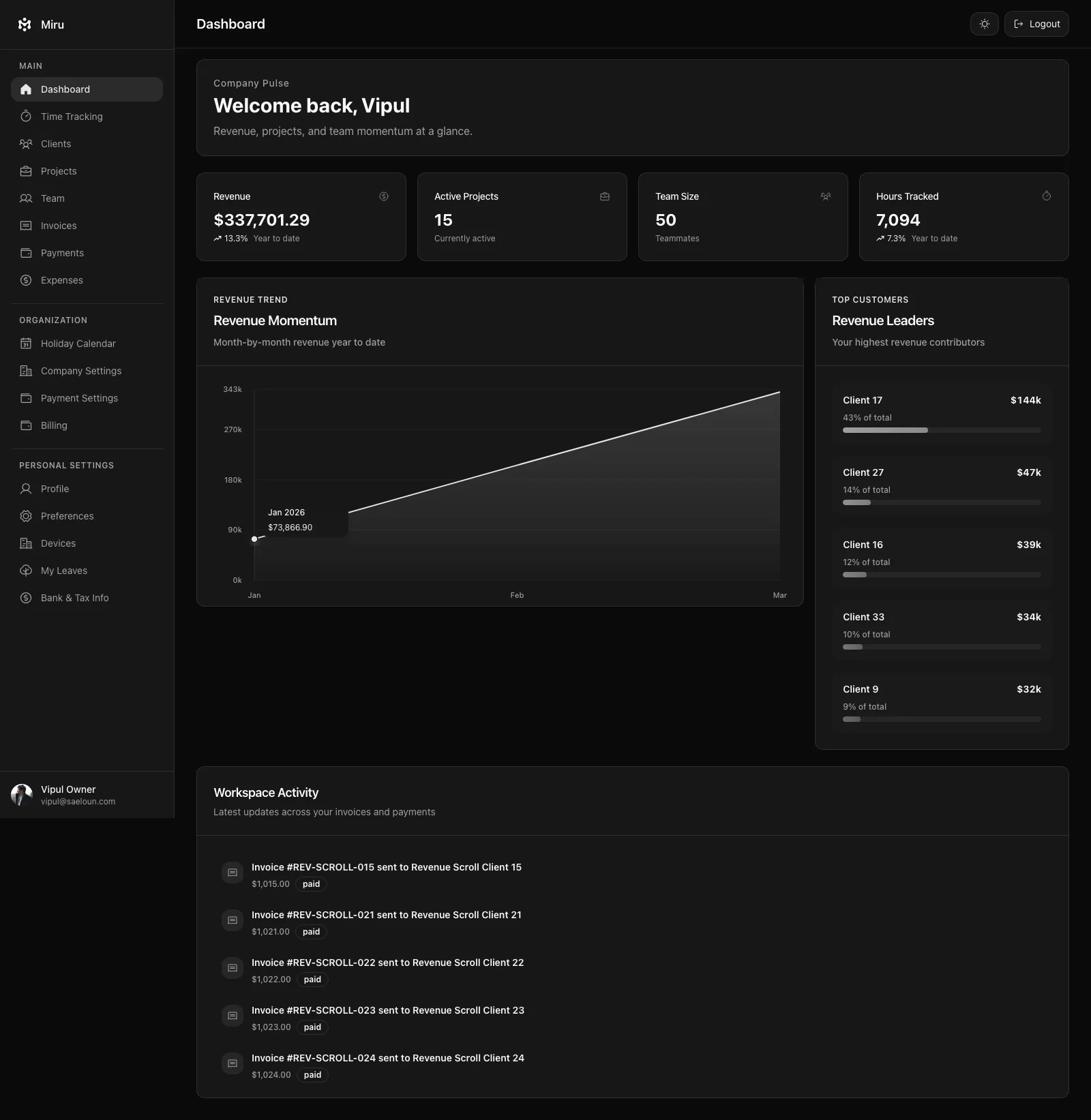
Miru tracks billable time and turns it into invoices. It’s open source, written in Rails 8 and React 18, and costs $1 per user per month if you let us host it. Self-host it for free.
That’s what it is. The rest of this page is about why it exists and how to get it running.
Why we built it
I ran a services business (Saeloun) for seven years before writing a line of Miru. Time tracking and invoicing were the most annoying parts of running it. Harvest got acquired and raised prices. Toggl is a beautiful timer attached to a thin invoicing afterthought. FreshBooks wants $45 a month and treats you like you’ve never seen a web app before.
I wanted one app that does both, respects open source, and costs less than a cup of coffee per teammate per month. Nobody was shipping that. So we shipped it.
Miru is a Rails monolith. One app, one database, one deploy. No microservices, no Redis cluster, no Kafka. When something breaks, one person can debug it. When we want to add a feature, we add it in one place.
What it does
Track time three ways: hit a timer in the browser, run miru track start from the terminal, or log entries after the fact. Tag entries to projects and clients. Mark them billable or not.
Turn tracked time into invoices. One click on the unbilled hours, generate a PDF or send via Stripe. Clients pay through Stripe Checkout. Miru marks the invoice paid automatically.
Track expenses alongside time. Attach receipts. Run a utilization report at the end of the month. Export to QuickBooks or Xero if you need it.
That’s the whole product. Everything else is details.
The stack
- Rails 8.0.2 with Hotwire for the control-panel views
- React 18.3 for the app screens
- PostgreSQL 15 for the database
- Solid Queue for background jobs (no Redis required)
- Stripe for payments
- Cloudflare for the edge
No TypeScript on the Rails side. No GraphQL. No NestJS. No Bun. Boring on purpose.
Running it
Docker (two minutes)
git clone https://github.com/saeloun/miru-web.git
cd miru-web
docker-compose up
docker-compose exec app bundle exec rails db:setup
# open http://localhost:3000
Local (if you have mise)
mise install ruby@4.0.1 node@25.8.2
bundle install && npm install
bin/rails db:setup
foreman start -f Procfile.dev
Who uses it
Freelancers billing hourly who need a timer and invoicing in the same app. Agencies of 3–30 people tracking utilization across projects. Distributed teams that live in the terminal. Consultants on retainer.
If you have 500 engineers and need SSO + SAML + RBAC with 12 permission tiers, we’re not your tool. Enterprise isn’t our market.
The open source part
The repo is at github.com/saeloun/miru-web. AGPL licensed. Fork it, run it, change it. If you ship a fix, open a PR — we read every one.
We don’t do “open core.” Every feature in the hosted version is in the open-source version. What you pay for is us running it for you, not access to the good parts.
FAQ
Is it really free? Self-hosting is free. Our hosting is $1/user/month.
Can I customize it? Yes. It’s AGPL. Change whatever you want. Ship the changes if you’re running it as a service.
How do I migrate from Harvest / Toggl / FreshBooks? Export CSV from the old tool. Import in Miru under Settings → Import. We’ll have direct integrations for the top three tools in 2026.
What about SOC 2? Not yet. We encrypt data in transit and at rest, use OAuth2, run regular audits, and handle GDPR. If you need SOC 2 today, use Harvest.
How does it compare to [tool]? Cheaper than FreshBooks. More serious about invoicing than Toggl. Open source, unlike Harvest. Built this decade, unlike Zoho.
Next
Built by Saeloun. Open source. No venture capital.